Why Choose Appzi over Sprig?
Looking for a feedback collection tool but Sprig is too expensive, complex or just simply too bland? Then you are in the right place!
What is Sprig?
Sprig is a product insights platform that empowers teams to build better products, from optimizing core user flows to testing new designs and prototypes. Their In-Product Surveys help product teams to capture targeted insights to answer the “why” behind product analytics while Concept & Usability Tests enable you to test designs before you build to ensure your product hits the mark on launch day. Once the insights start pouring in, Sprig’s award-winning AI summarizes video, voice, and open-text responses into actionable themes, so you can quickly identify learnings and prioritize what to work on next. Plus, you can leverage dozens of integrations to connect Sprig to your favorite product tools and easily share insights for collaboration and buy‑in. Sprig has since moved upmarket: it is sold as an enterprise platform, priced against your research programme rather than published, and the only way in is to book a demo.
What is Appzi?
We created Appzi for businesses that share our passion for building better products and delivering valuable services. We’re building a beautiful, easy to use, hassle free, and inexpensive feedback tool that will help you capture bugs, suggestions, and feedback about your product. Today Appzi is used by customer-centric organizations around the world, from small businesses to high-growth startups and nonprofits. We’ve been on this journey for several years now, but in many ways it still feels like early days.
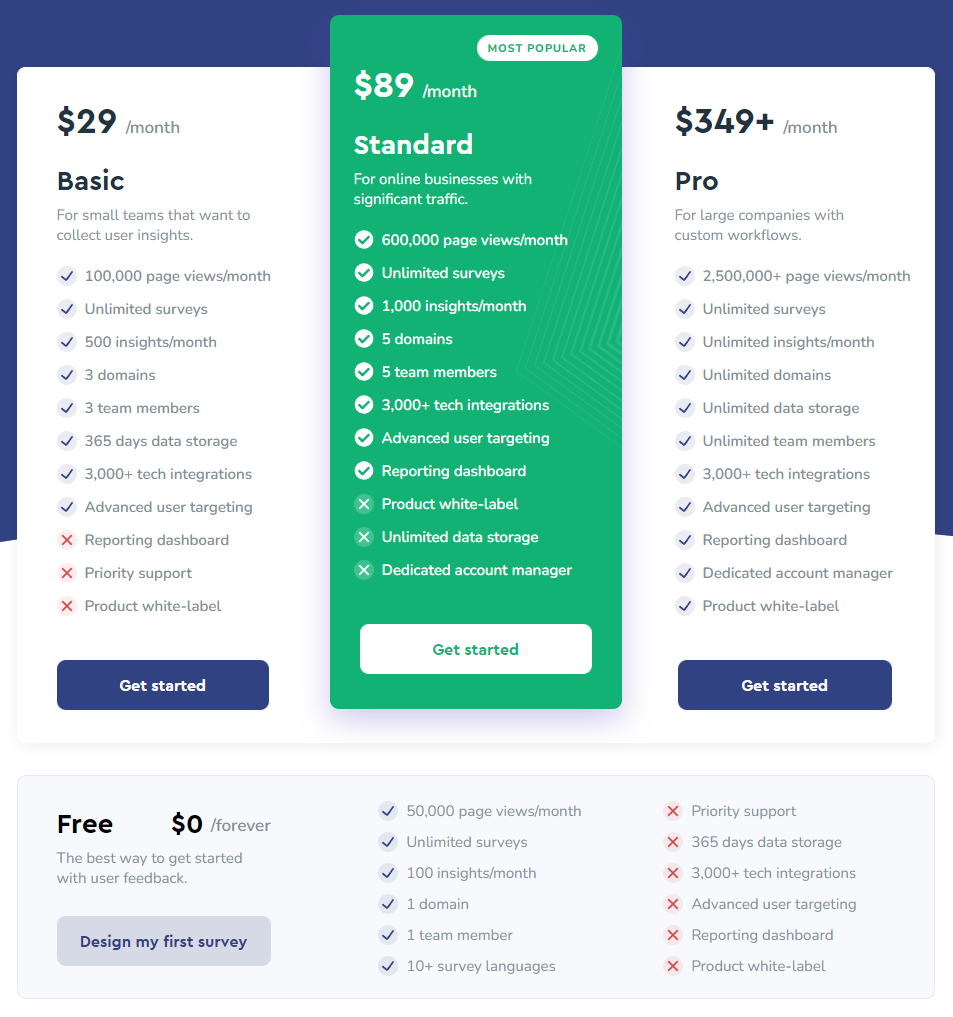
For fairness sake, in this article we are going to focus on Sprig’s In-Product Surveys as Appzi does not have an alternative to Sprig’s Concept and Usability Tests yet. Here’s a breakdown of the features we offer and a comparison with Sprig:
Survey questions
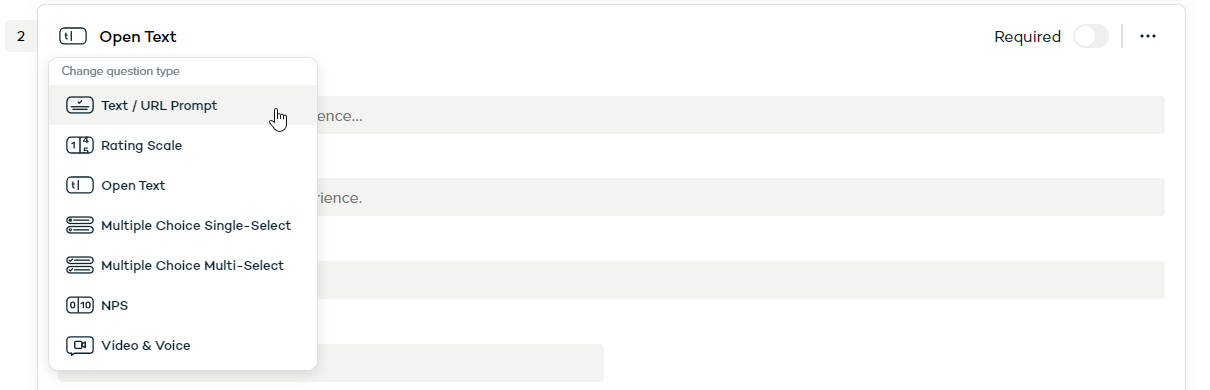
Sprig offers from the get-go a variety of questions to choose from like rating scales, NPS scales and open text fields. Sprig also supports video and audio-only questions and responses. Some questions like “Consent / Legal” are available only on a paid plan.
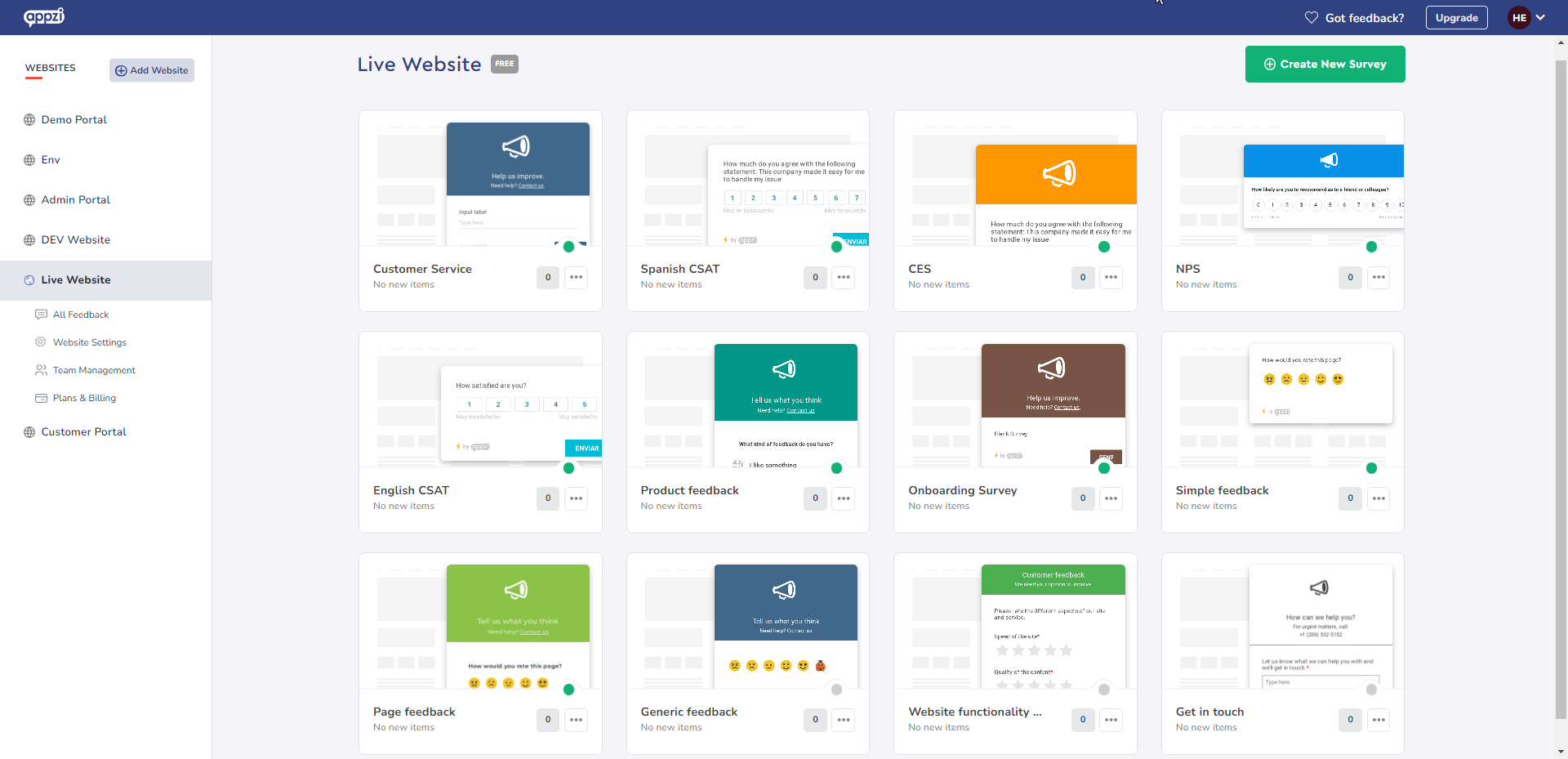
Appzi offers several templates for NPS, CSAT, CES and other types of surveys. We also have dropdowns, legal questions, a dedicated bug button and various scales and number ranges to choose from. You can also set multiple questions on the same survey page which is not possible in Sprig. Logic jumps and branching route each respondent down the path their answers call for, and any survey translates into one of nine languages in a click.
Survey Customization and Appearance
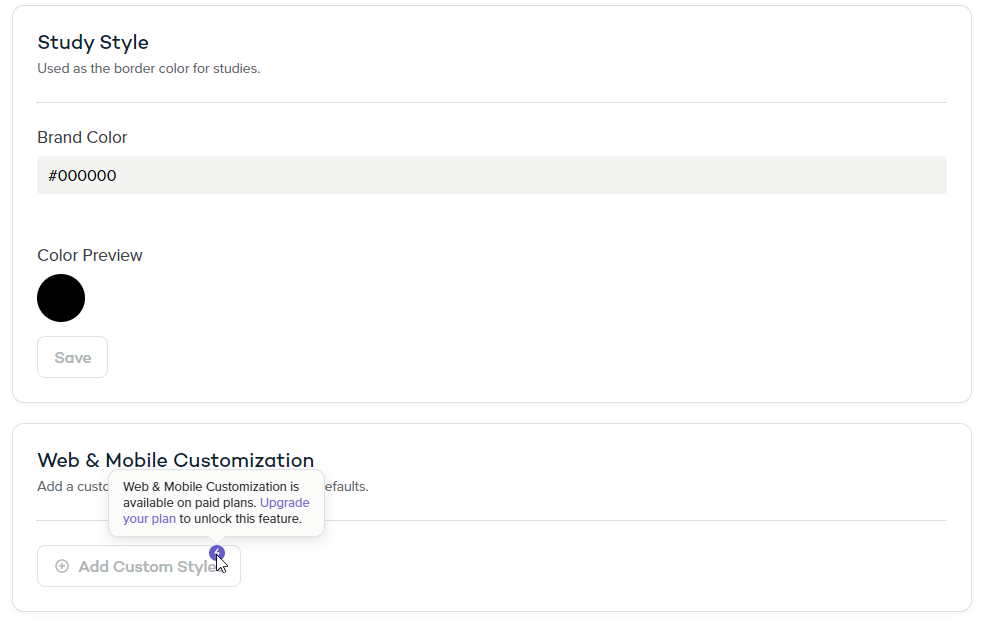
When it comes to customization of your survey there isn’t much you can do at Sprig’s base level. You can set the survey’s border color and add a logo, but more advanced stylizing like custom CSS is locked behind a paid plan.
Give your survey a personal look by adding your own logo in its header and adjusting its size and padding to your fit. Use your own colors and stylize the text by making it bold and italic or change the font to make it even more personalized. Choose between a light or accented theme and set the padding of the survey content. Add links to other pages of interest. When it comes to the widget launcher button you can position it on the screen down to the pixel, edit its label text and choose from different types of buttons. Survey customization is basically limitless with Appzi so don’t hesitate to give us a shout and let us know how would you like your survey to look.
Survey amount
Sprig no longer publishes its survey or tracked-user allowances. How many studies you can run, and how many people are allowed to see them, is set by your contract rather than listed on a pricing page — you have to book a demo to find out where you stand.
With Appzi, you have access to an unlimited number of portals and surveys, which means you can create as many surveys as you need to get the insights you want. Even better, as a free user, you can get up to 50,000 monthly page views per portal. This means you can collect feedback from a substantial number of customers without worrying about any additional costs.
Survey trigger
A Sprig survey can be triggered at page load or after the user has spent a certain amount of time on the page. Events like “Completed Onboarding” and “Clicked Submit” can also be used to trigger the survey.
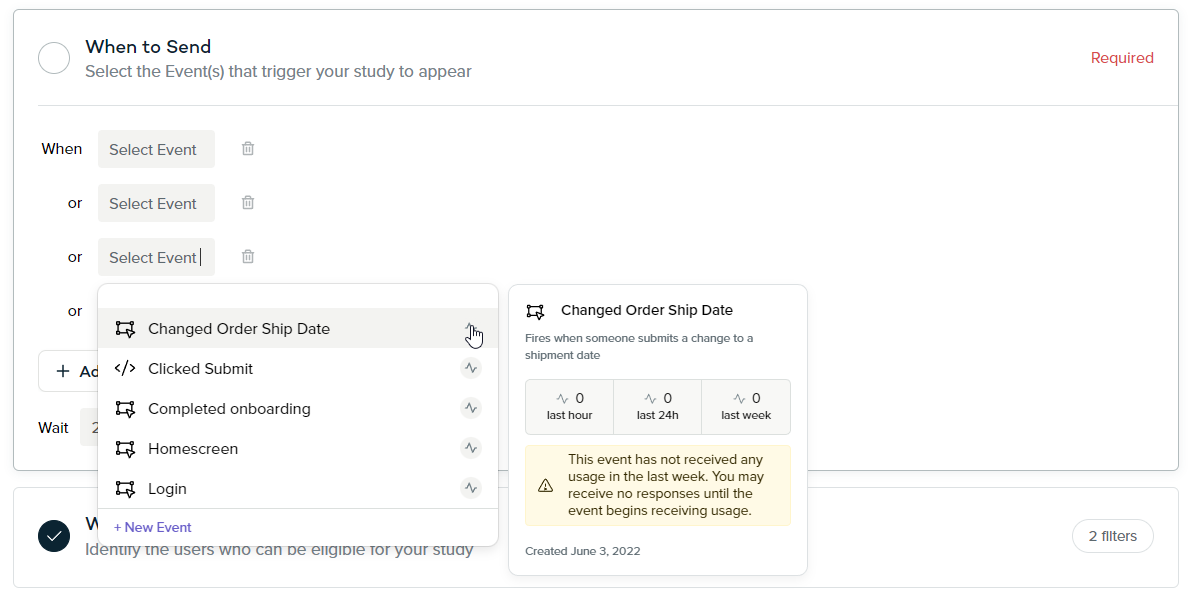
Set the survey to trigger after user spent some time on the page and schedule how often you want the survey to show up depending on whether the user submitted a response or not. Target specific devices and URLs or use custom JS rules like “User is logged in” and “more than 4 items in the cart”. Customizable feedback buttons can also be used to trigger surveys on webpages – choose from different types of launchers, add your own icons and colors, choose the font and position the launcher on your page up to the pixel.
Charts
Summary page in Sprig contains bar charts, donut charts and over time charts for every question. You also get a NPS chart but there are no CES or CSAT score charts available.
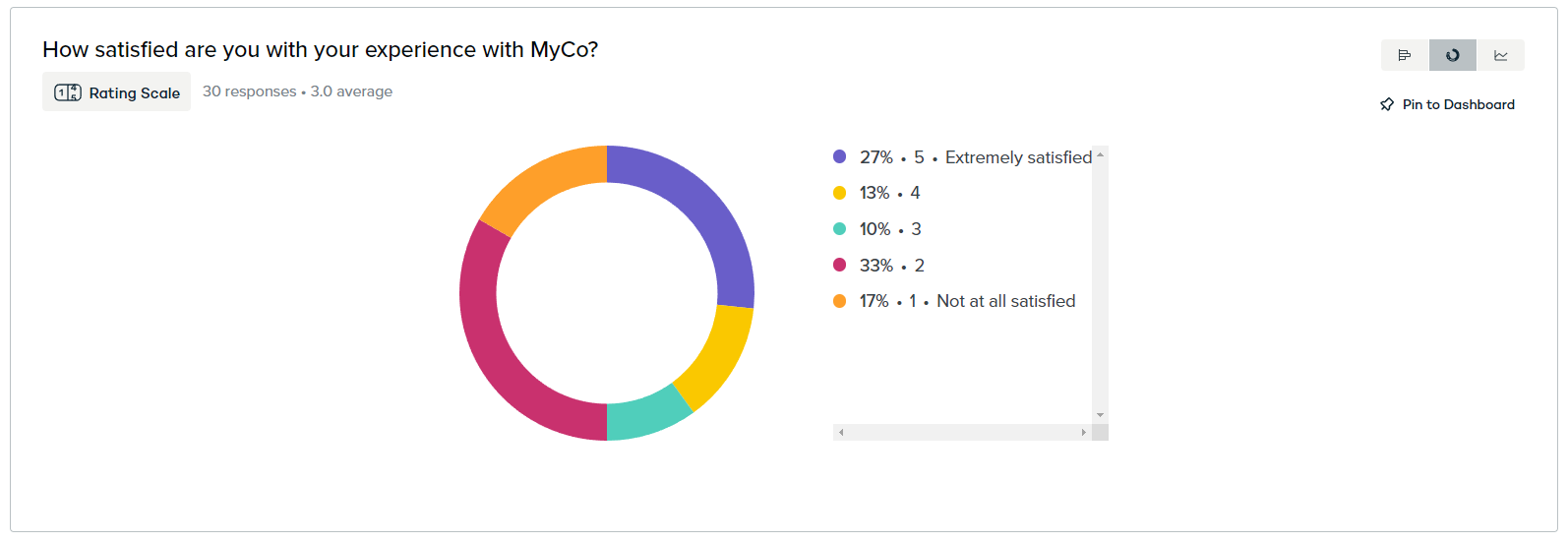
Get the latest trends and use comprehensive and interactive charts for further analysis of your feedback with Appzi. You get donut charts on Summary page showing the current score depending on the question/survey type (NPS, CES, CSAT and Average) that redirect to an already filtered feedback once clicked. Over time distribution charts are available for every question but also for tagged feedback and custom fields.
And here are some of the Appzi features that Sprig does not provide:
Add tags to specific feedback responses for easier organization into categories.
Give it a personal touch – recall answers from previous questions.
Tag multiple feedback responses or set them as “Completed” with a simple click.
Use one of our templates or contact us to get a fully personalized survey. Full-page, inline and auto-popup surveys are all standard formats in the builder — pick whichever suits the moment, no custom work needed.
Launch your first survey in minutes.
Register for free to evaluate user experiences, test new features, or gauge customer satisfaction on any web-based product.